Incy is a rising VPN client with a minimalist interface and excellent support for modern censorship-bypassing protocols (VLESS, VMess, Trojan, Shadowsocks, Reality). Available for iOS and Android.
1
Install Incy
Find Incy in the AppStore or Google Play.
2
Get a Configuration
Copy a VLESS key from the list below, or get a subscription from our Telegram Bot.
3
Add Key to App
Launch Incy. On the minimalist home screen, you'll see a large connect button. Tap "Add Profile" (or the "+" icon at the top right) to add a server. Import methods:
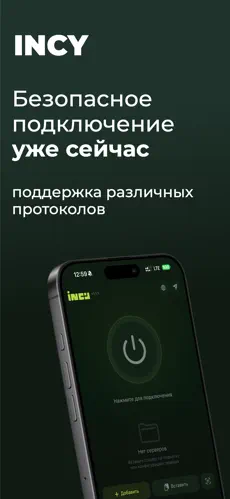
- Clipboard — copy a VLESS key from our site and tap "Paste from clipboard". The profile will instantly appear.
- Subscription — the most reliable option. Select "Add Subscription" and paste your URL from the bot to get multiple auto-updating servers.
- QR Code — point your phone camera at a QR code displayed on your monitor.
4
Connect
Toggle the switch to start the VPN connection. Allow VPN permissions if prompted.
FAQ
Does Incy support subscriptions?
Yes! Incy supports Subscription URLs. Go to "Add Profile" → "Add Subscription", paste the link, and all servers will load automatically. Pull-to-refresh to update.
 Open in Happ
  Open in Hiddify
  Open in V2rayNG
  Open in V2rayTUN